



Open for Business: How Open Directories Expose Bulletproof Hosting Operations
Using Censys to hunt threat actor infrastructure by ASN, uncover exposed open directories, and analyze stolen system data and credential databases.
In this post, I’ll introduce the Censys platform and explore its capabilities for providing insights into threat actor operations.

What is Censys?
Censys is an advanced search engine designed for comprehensive threat research. It offers deep insights into the structure and security of internet-facing devices by leveraging large-scale scanning to collect and analyze data from exposed systems. This includes information about protocols, SSL/TLS certificates, and services. As a result, Censys has become an indispensable resource for threat hunters, security analysts, and researchers looking to understand the attack surface, uncover vulnerabilities, and monitor internet-connected assets.
The platform’s real-time visibility into exposed systems allows users to identify emerging threats and misconfigurations that could be exploited by malicious actors. It also provides powerful search capabilities and visualizations, enabling users to analyze trends across different devices, certificates, and network protocols. This level of granularity is crucial for uncovering potential risks that may not be visible through other tools, making Censys an essential component for organizations aiming to secure their networks proactively and respond to the evolving cyber threat landscape.
Censys offers a free community plan that allows a single user to perform up to 250 queries per month — sufficient to conduct the research outlined in this article.
In a recent Censys blog post, I learned about the platform’s ability to search by Autonomous System Number (ASN) and specific labels. This led me to consider that if threat actors use common infrastructure, it could be relatively straightforward to analyze their environments.
What is an ASN?
An ASN is a unique identifier assigned to a network or group of IP addresses operating under a single routing policy on the internet. ASNs enable networks to exchange routing information and control traffic between each other. The ability to search an ASN by specific labels on Censys allows for more targeted investigations, making it easier to identify and analyze particular networks or infrastructure.
What is an Open Directory?
An open directory on the internet is a publicly accessible web server or folder without proper security controls, allowing anyone to view its contents. These directories often contain files, data, or sensitive information that were either not meant to be shared publicly or were left exposed due to misconfigured settings or insufficient access restrictions.
Previous research has linked several bulletproof hosting providers — operating under the same ASN — to shared Ransomware as a Service (RaaS) infrastructure. Driven by curiosity, I decided to dive deeper into one such provider.
The Hunt
autonomous_system.asn: 5XXX3 and labels: ‘open-dir’
My initial query was straightforward, yielding just four results. Each result typically includes key details such as the host IP address, operating system (OS), ASN, geolocation, labels, and the corresponding ports and services.

Clicking on a specific IP reveals more information about the services running on each port.
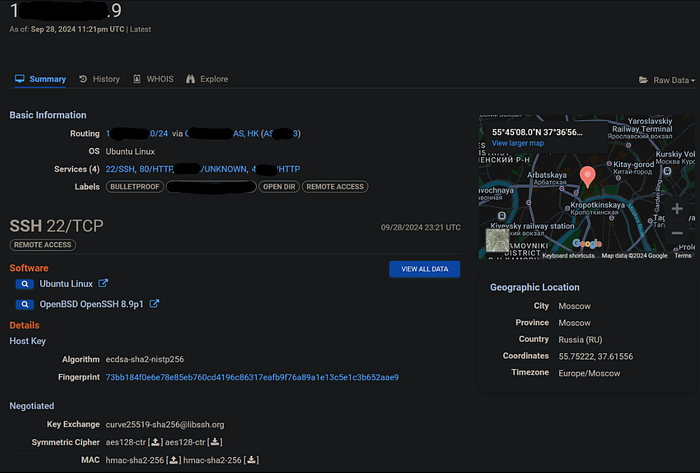
Notice that each port has an associated label. In this case, we’re specifically interested in the ‘OPEN DIR’ label. Expanding the response body reveals the contents of the directory listing.
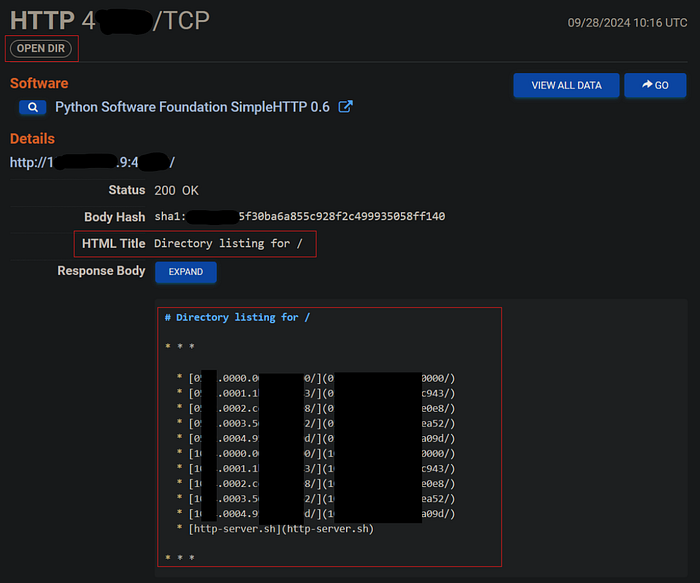
My interest is piqued, lets dig deeper to see what we can find on this host. At this point a pivot to a TOR session is required to review the file contents. Using TOR provides anonymity by masking your IP address and encrypting your traffic, helping to prevent attackers from tracing your activities back to you.
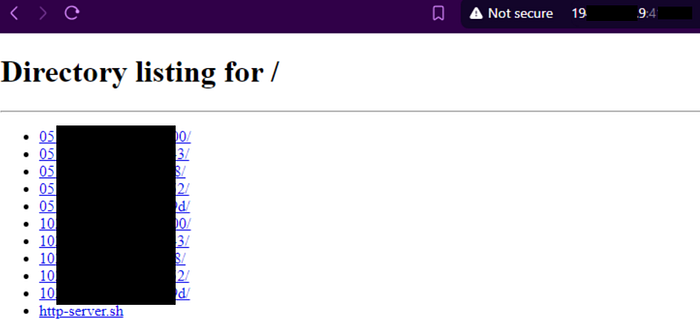
Navigating deeper into the folder structure returns roughly 1100 more folders.
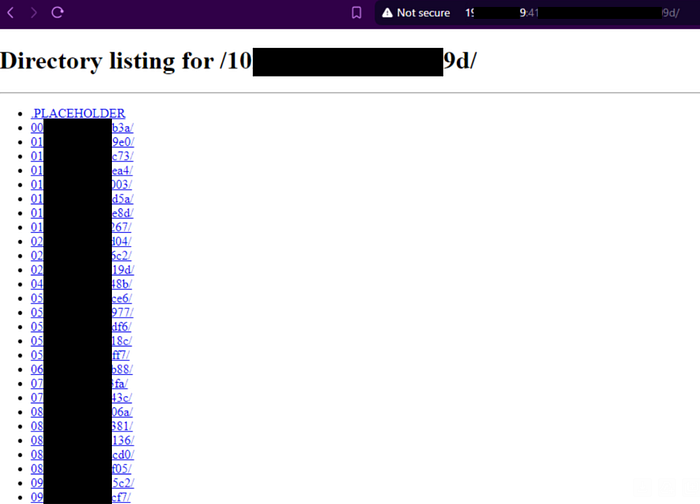
A click deeper displays an entry containing three files with the following format.
dxdiag.txt
{SID}.cdb
{SID}.ldb

dxdiag.exe
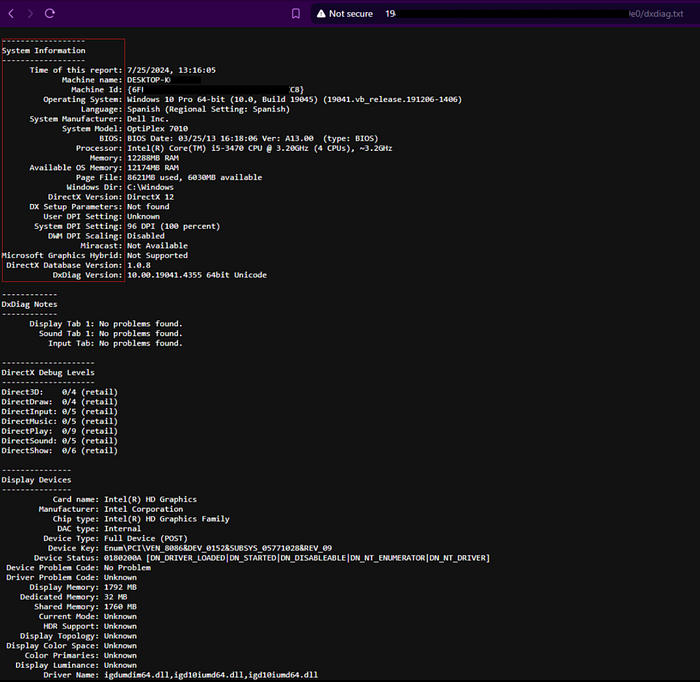
According to Microsoft Support, dxdiag.exe is “used to collect info about devices to help troubleshoot problems with DirectX sound and video.” The native tool is located at C:\Windows\System32\dxdiag.exe, and its output is saved as a file named dxdiag.txt.

Examining one of these entries provides a highly detailed view of a Windows machine, including information such as the machine name, OS, build version, language, motherboard manufacturer, BIOS version, processor, memory, display devices, drivers, feature support, and connected I/O support. To see this in action, you can run the tool on your own machine; the expected output is a comprehensive report around 1,600 lines long.
.cdb & .ldb
The other two files appear to be named after a Windows Security Identifier (SID), a unique value used to identify a security entity within Windows. In short, any computer, user, or group is assigned a SID for various security-related functions.
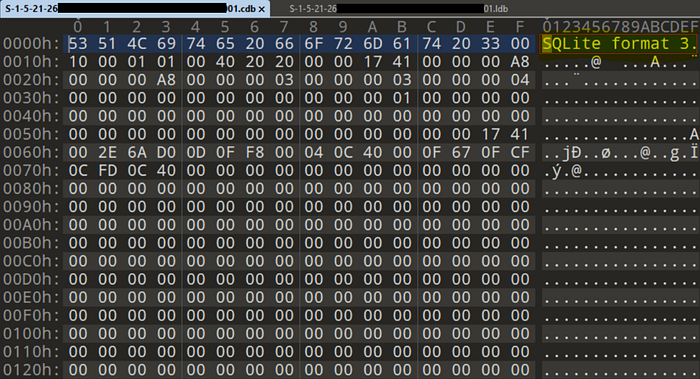
By reviewing copies of each file in a hex editor within a virtual machine (VM), I could access the file headers. Seeing the “SQLite format 3” header brought a smile to my face; generally, when this header is visible, the file’s contents are not encrypted. SQLite 3 is a self-contained, serverless, lightweight database engine that uses SQL to manage data.
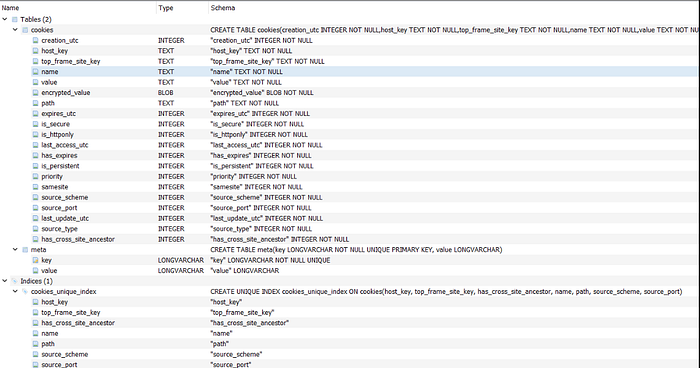
Next, I downloaded a free SQLite browser from sqlitebrowser.org. As anticipated, the contents were a flat file with unencrypted data. The database structure of the file ending in .cdb contained several tables. Based on the contents, it’s reasonable to assume that the “c” in .cdb stands for “Cookie.”
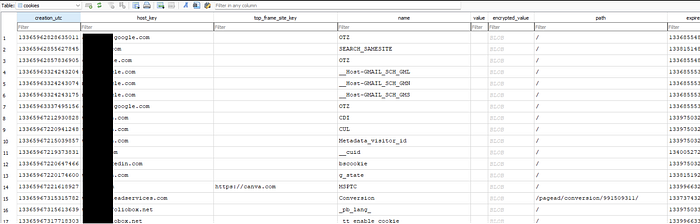
From the data view we can see cookie details with timestamps to include an expiration date.
A closer inspection of the second database revealed even more compelling details. It’s likely that the “l” in .ldb stands for “Logs,” as this database focuses on capturing credentials. The structure is highly robust, and the level of detail that the threat actor aims to collect is quite surprising.
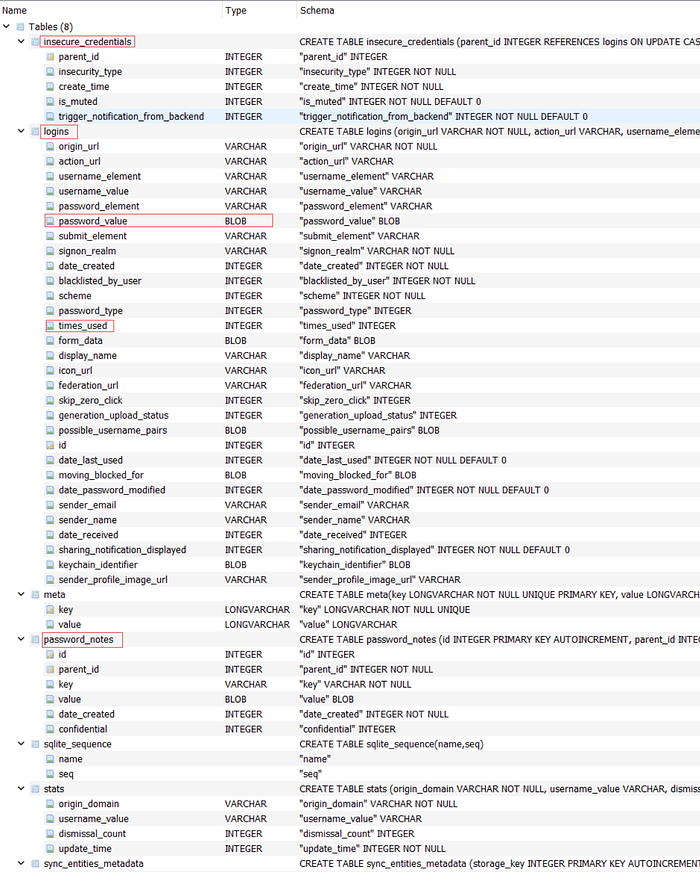
From the data view of the `logins` table we can see the output from an advanced rat/keylogger.

Within each entry, the password_element contains a BLOB, wherein lies the harvested credentials. The.ldb file reviewed for this example contained ten unique credentials for popular services, to include personal email, banking, school, and small business email credentials.

At this point, it’s hard to believe what I’ve stumbled upon. By my count, the server contained roughly 2,400 entries. Of the initial four servers provided by Censys, two had empty open directories. The remaining server appeared to be a backup of this entire corpus. Going forward, security practitioners should monitor for suspicious processes invoking dxdiag.exe directly or creating files with .cdb or .ldb extensions as indicators of compromise.
Next Time
I plan on scouring VirusTotal in hopes of finding a sample of the Trojan that generated the observed databases. Preliminary research revealed a single sample flagged as “Barys,” which communicates with the exposed endpoint. The Barys malware is classified as a Trojan Downloader, designed to allow its operators to download and upload files to a victim’s computer without detection. It features some interesting capabilities, such as leveraging the Dropbox online file storage service. Barys may be distributed via spam campaigns or bundled with free program installers promoted on suspicious websites.
Summary
In summary, I demonstrated how Censys can effectively assist with hunting and analysis. I showcased the power of searching by ASN and provided a brief introduction to hunting for open directories. As a result of my investigation, I reached out to MITRE to suggest adding dxdiag.exe to the following tactics: T1007 System Service Discovery, T1082 System Information Discovery, and T1120 Peripheral Device Discovery.
Disclaimer
Before engaging in similar research, I advise any threat hunter or researcher to review the U.S. Department of Justice’s report, “Legal Considerations When Gathering Online Cyber Threat Intelligence and Purchasing Data from Illicit Sources.” The report emphasizes the importance of understanding and adhering to legal obligations while conducting cyber threat intelligence operations and encourages careful consideration before taking actions that could potentially support criminal activities or violate legal norms.